Telenow documentation
Telenow is a platform for building and operating AI voice agents. You design an agent in the dashboard (its model, voice, prompt, and knowledge), give it a phone number or embed it on your website, and Telenow handles the real‑time speech‑to‑text, language model, and text‑to‑speech pipeline — plus call recording, transcripts, analytics, and webhooks.
Everything you can do in the dashboard is also available over a REST API and webhooks, so you can automate provisioning, place calls programmatically, embed a voice/chat widget on any site, and stream call events into your own systems.
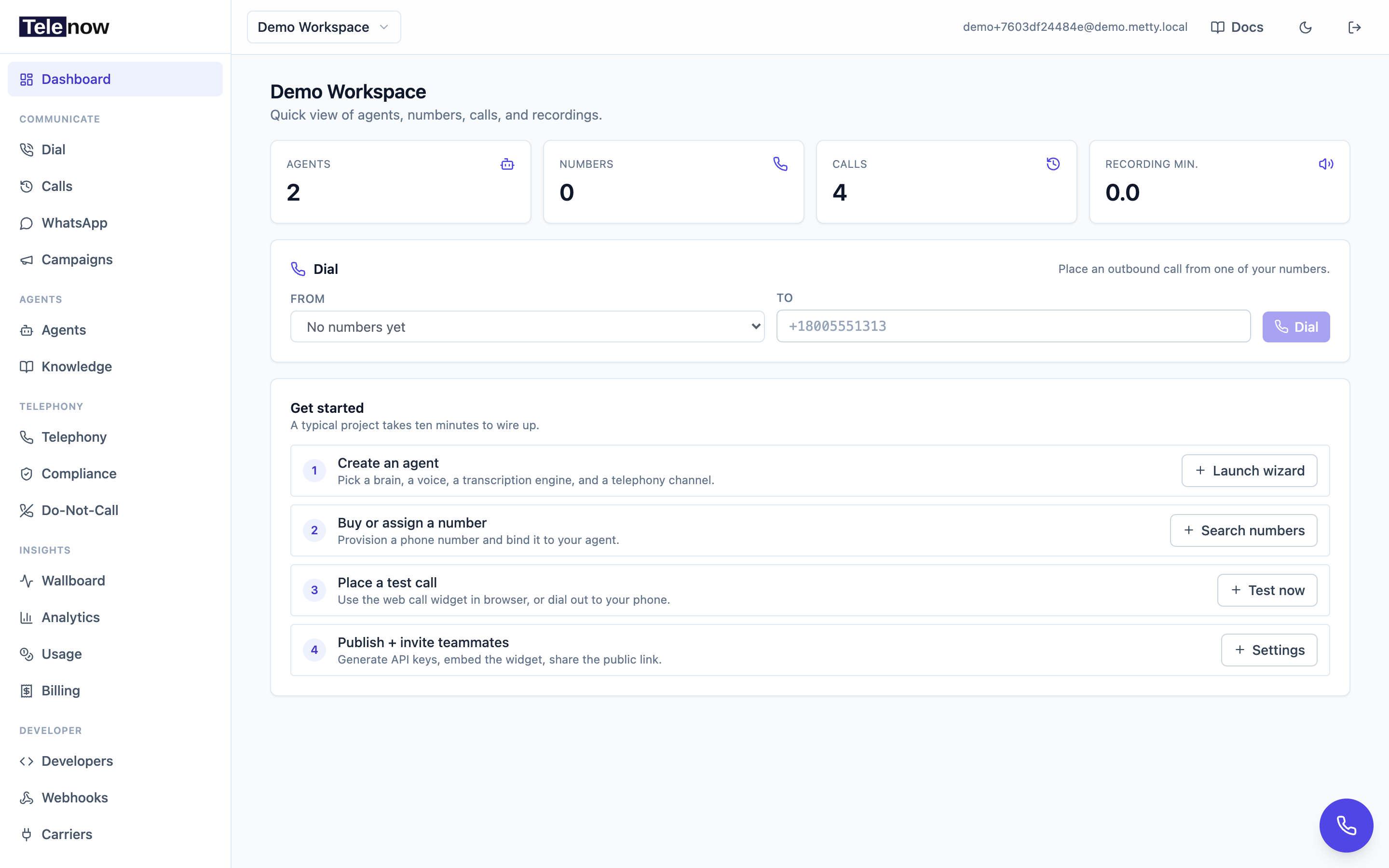
The dashboard after sign-in — today's call activity at a glance, with everything (agents, calls, campaigns, numbers) one click away in the sidebar.
What you can build
- Inbound & outbound phone agents — buy a number (or bring your own carrier), attach an agent, and answer or place PSTN calls.
- Browser voice & chat widgets — embed a "talk to us" button on your website, or run calls fully in the browser with no phone number.
- A softphone dialer — your team places and receives calls from the dashboard, with recording, transfer, and call routing.
- Outbound campaigns — upload a contact list and let agents dial through it within a compliant calling window.
- Knowledge‑grounded answers — attach documents so the agent answers from your content (RAG).
- Event‑driven integrations — receive
call.ended,recording.ready, and other events as signed webhooks, and drive calls/agents from your backend via the API.
How this documentation is organized
- Quickstart — go from sign‑up to a working agent and your first API call in a few minutes.
- Core concepts — the handful of objects (organizations, agents, sessions, numbers, providers, webhooks) you'll see everywhere.
- Product guide — how to use each part of the dashboard: building agents, agent versioning, context variables, knowledge bases, phone numbers, telephony providers, SIP trunking, making & receiving calls, call history, post‑call analysis, caller memory, campaigns, do‑not‑call, team & workplace, publishing & embedding, analytics, billing & usage, white‑label, and compliance.
- Integrations — connect outside tools: the integrations framework, WhatsApp, pre‑built agent templates, and the audit log.
- API reference — every REST resource, starting with conventions and authentication.
- Integration guides — end‑to‑end recipes for embedding the widget, programmatic web calls, the chat API, placing a phone call, receiving webhooks, and automation platforms (Zapier/Make/n8n).
- SDKs — official libraries for web & React, React Native, and Node & Python backends — start at the SDK overview.
- Resources — a FAQ & troubleshooting guide and a glossary of terms.
Two API surfaces
Telenow exposes two HTTP surfaces. Which one you reach for depends on what you're building:
| Surface | Use it for | Auth | Response shape |
|---|---|---|---|
/api/… (dashboard API) | Full CRUD — create/update agents, numbers, webhooks, campaigns, knowledge bases, sessions, billing. Everything the dashboard does. | API key or user JWT | Enveloped: { "success": true, "data": … } |
/api/v1/… (automation surface) | A small, stable set of read + chat + webhook‑subscription endpoints designed for automation platforms (Zapier, Make, n8n, viaSocket) and quick glue code. | API key only (X-API-Key) — no JWT | Flat JSON (no envelope) |
The /api/v1 surface is intentionally narrow and forgiving: the org always comes from the key, responses are flat so platform "map this field" steps work without unwrapping, and every endpoint is idempotent where it can be. See Automation platforms and the API overview for the full picture.
Base URL
All API requests are made to your Telenow API base URL, for example:
https://api.telenow.ai
Endpoints in this reference are written as full paths relative to that host (e.g. POST /api/agents, GET /api/orgs/{orgId}/calls). If you're on a white‑label or self‑hosted deployment, substitute your own host — the /api path prefix is the same.
Conventions used throughout: request/response bodies are JSON. On the dashboard
/api/…surface, successful responses are wrapped in{ "success": true, "data": … }and errors are{ "success": false, "error": "…" }. The/api/v1/…automation surface returns flat JSON instead. See Overview & conventions for the full contract.
Getting help
If you're evaluating Telenow, the fastest way to see it in action is the in‑app Explore demo mode on the login screen — a sandboxed workspace with sample agents and calls. When you're ready to build, head to the Quickstart.